Your personal AI assistant for notes, tasks & meetings

Record meetings, capture notes, plan tasks, and ask AI anything —
one workspace that transcribes, summarizes, and keeps you on track.

One AI assistant for your
meetings, notes, and tasks.

Humoze records and summarizes your meetings, keeps your notes organized, tracks the work that follows on a task board and calendar, and answers questions across all of it.

AI Meeting Notes

Every word captured. Nothing missed.

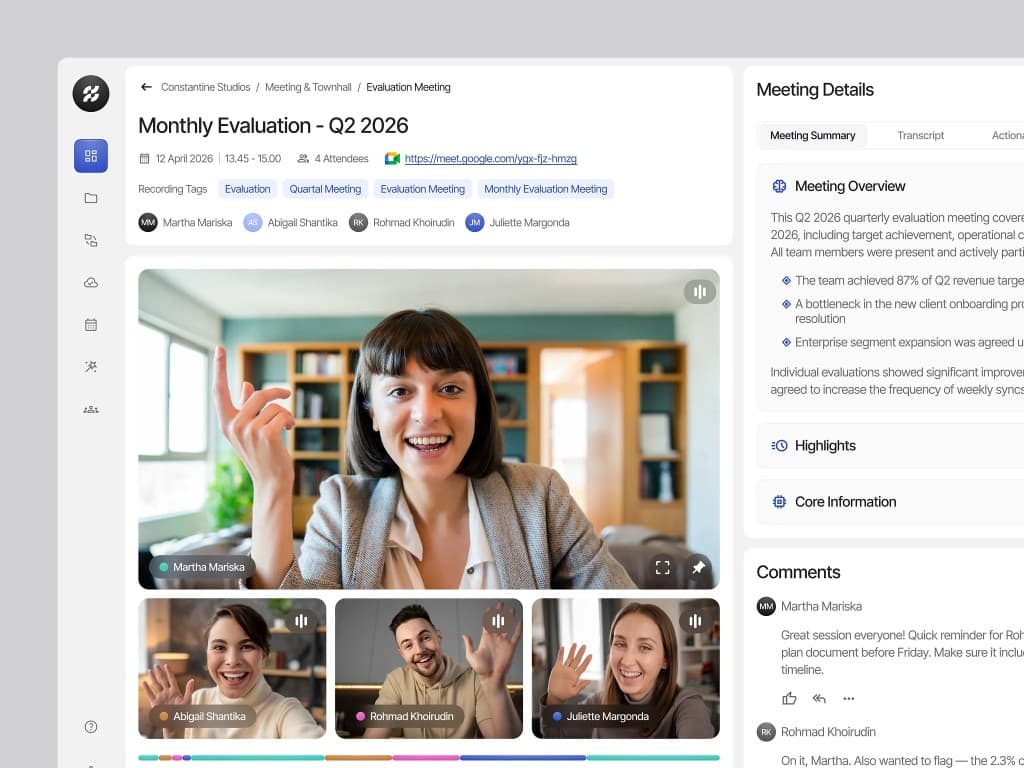
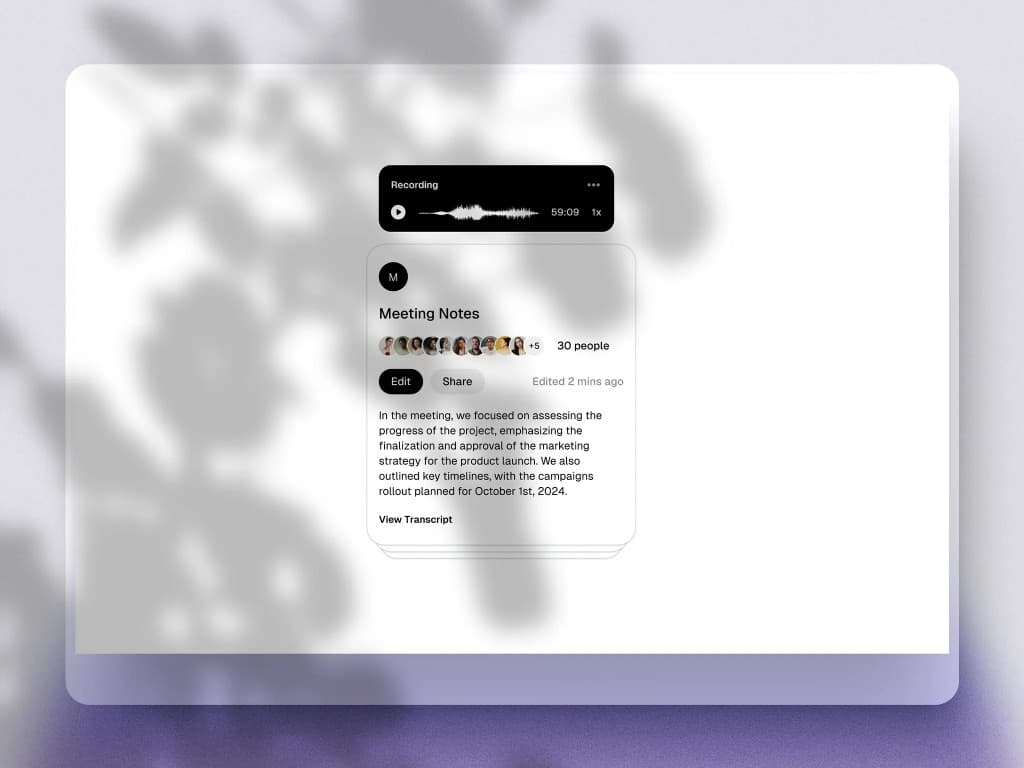
Hit record and Humoze transcribes your meetings, lectures, and voice notes as they happen, so you can stay in the conversation instead of typing. The full transcript is saved next to your notes, ready to search and revisit.

AI Summaries & Action Items

Clarity delivered in seconds.

When the meeting ends, Humoze generates a concise summary with key points and action items. No more reading through pages of notes to find what matters.

Tasks & Calendar

From meeting to to-do.

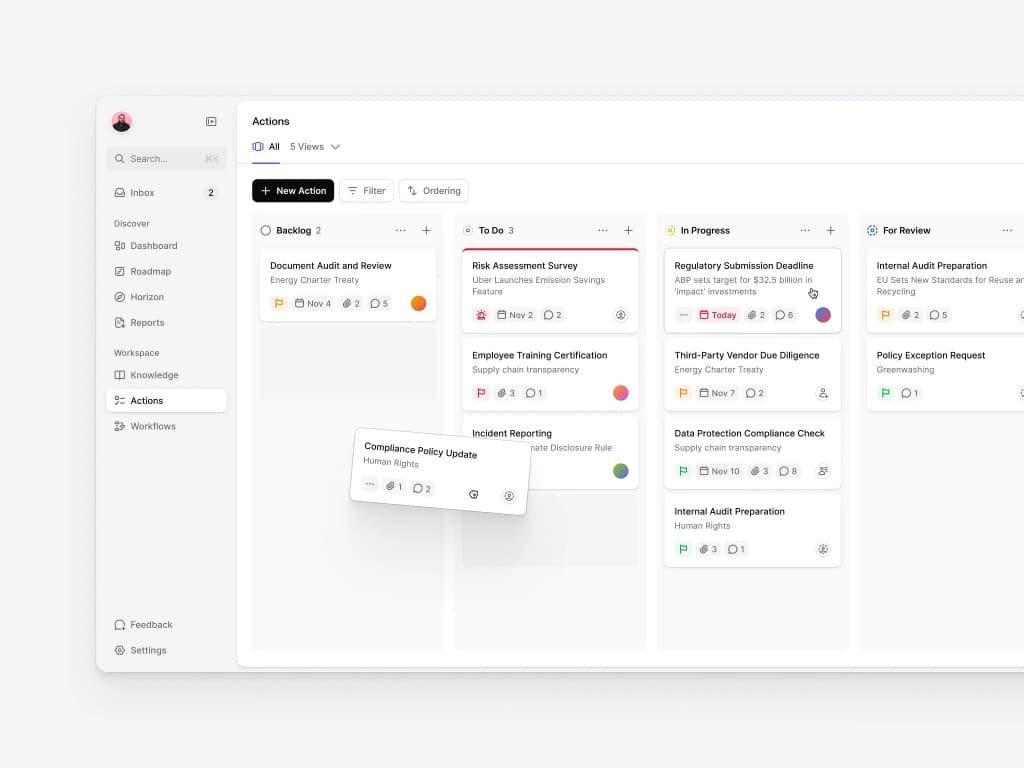
Turn follow-ups into tasks and track them as a table, checklist, or kanban board. Set status, priority, assignee, and due dates, then see every deadline on your calendar so nothing slips.

Ask AI

Your whole workspace, searchable.

Ask Humoze a question and it answers from the transcripts of all your notes, so you can find a decision from last week or last quarter without scrolling through recordings. Organize everything in folders and jump anywhere with the command menu.

An AI assistant that works the way you think

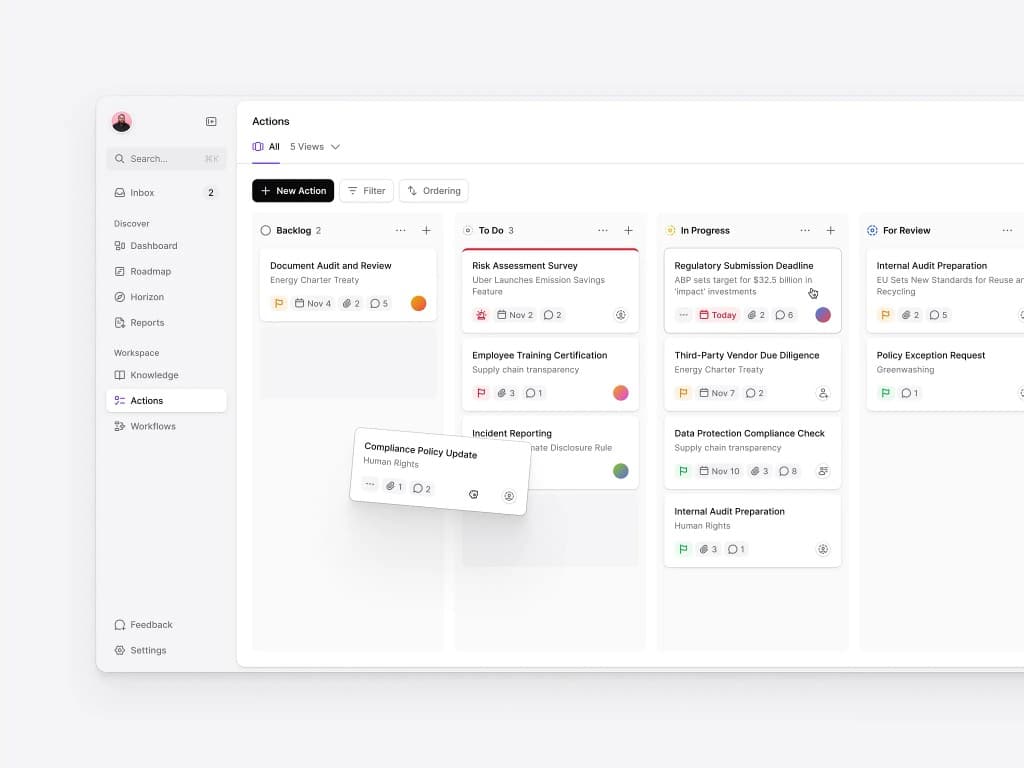
Humoze AI task manager kanban board with tasks organized by status

Hit record inside Humoze or upload an audio file. Every meeting, lecture, or voice note is transcribed and saved in your workspace.

Humoze generates a structured summary with key points and action items, so you can skip rewatching the recording.

Add follow-ups as tasks with a priority, assignee, and due date. Track them on a kanban board, checklist, or table, and see deadlines on your calendar.

Ask questions and get answers drawn from all of your transcripts. Search notes by keyword, organize them in folders, and jump anywhere with the command menu.

Testimonials

Don't take our word for it!
Hear it from our partners.

Priya Menon, Medical Student, Johns Hopkins

"I went from drowning in lecture recordings to actually understanding the material. Humoze built me a full study system in minutes — transcripts, summaries, and flashcards ready before I left the lecture hall."

Priya MenonMedical Student, Johns Hopkins
James Calloway, Software Engineer

"I use Humoze for every engineering sync. By the time I close my laptop, I already have action items and a clean summary waiting in my inbox. It's changed how our entire team operates."

James CallowaySoftware Engineer
Aiko Tanaka, PhD Researcher, MIT

"The AI transcription accuracy is remarkable — 98% is no exaggeration. I can record a 2-hour seminar and Humoze hands me a searchable, organized note set within minutes."

Aiko TanakaPhD Researcher, MIT
Marcus Webb, High School Teacher

"I share Humoze-generated summaries with my students after each class. Engagement is up, parents are thrilled, and I spend zero time writing recaps. It just works."

Marcus WebbHigh School Teacher
Sofia Reyes, MBA Candidate, Wharton

"Case study prep used to take four hours. With Humoze it's under one. The AI summary hits every key argument and the flashcard generator is legitimately magic for retention."

Sofia ReyesMBA Candidate, Wharton
Liam Nguyen, Indie Podcaster

"Humoze transcription is accurate, summaries are sharp, and I can search my entire back catalog by keyword. An absolute game changer for a solo creator workflow."

Liam NguyenIndie Podcaster
Priya Menon, Medical Student, Johns Hopkins

"I went from drowning in lecture recordings to actually understanding the material. Humoze built me a full study system in minutes — transcripts, summaries, and flashcards ready before I left the lecture hall."

Priya MenonMedical Student, Johns Hopkins
James Calloway, Software Engineer

"I use Humoze for every engineering sync. By the time I close my laptop, I already have action items and a clean summary waiting in my inbox. It's changed how our entire team operates."

James CallowaySoftware Engineer
Aiko Tanaka, PhD Researcher, MIT

"The AI transcription accuracy is remarkable — 98% is no exaggeration. I can record a 2-hour seminar and Humoze hands me a searchable, organized note set within minutes."

Aiko TanakaPhD Researcher, MIT
Marcus Webb, High School Teacher

"I share Humoze-generated summaries with my students after each class. Engagement is up, parents are thrilled, and I spend zero time writing recaps. It just works."

Marcus WebbHigh School Teacher
Sofia Reyes, MBA Candidate, Wharton

"Case study prep used to take four hours. With Humoze it's under one. The AI summary hits every key argument and the flashcard generator is legitimately magic for retention."

Sofia ReyesMBA Candidate, Wharton
Liam Nguyen, Indie Podcaster

"Humoze transcription is accurate, summaries are sharp, and I can search my entire back catalog by keyword. An absolute game changer for a solo creator workflow."

Liam NguyenIndie Podcaster

Simple & transparent pricing
for all business sizes

Basic plan

Free
Get started free

FEATURES

Get started for free with core features.

  • 5 hrs AI transcription/month
  • Basic AI summaries
  • Up to 3 notebooks
  • Export to PDF
  • Email support
Coming soon

Pro plan

$19/ mo
Notify me

FEATURES

Everything in Basic plus....

  • 50 hrs AI transcription/month
  • Advanced summaries & action items
  • Unlimited notebooks
  • 40GB storage per user
  • Priority chat and email support
Coming soon

Enterprise plan

$49/ mo
Notify me

FEATURES

Everything in Pro plus....

  • Unlimited AI transcription
  • Unlimited team members
  • SSO & advanced security
  • Custom integrations
  • Personalized + priority service

Frequently asked questions

Everything you need to know about Humoze AI notes and billing.

No. Humoze started with meeting and lecture notes, but it is a personal AI assistant for your work. You can record meetings and get transcripts, summaries, and action items; keep notes organized in folders; track follow-ups on a task board with table, checklist, and kanban views; see deadlines on a calendar; and ask AI questions that are answered from the transcripts of all your notes. The goal is to keep the conversation, the decision, and the task in one workspace instead of spreading them across separate apps.

After a meeting, Humoze gives you a summary with key points and action items. You add the ones that matter as tasks with a status, priority, assignee, and due date, and track them on a kanban board, a checklist, or a sortable table. Every due date also appears on a calendar, color-coded by priority, so you can see your week at a glance. Because the transcript that explains each task lives in the same workspace, you can always check the context. Humoze is a lightweight option for individuals and small teams rather than an enterprise project suite.

You can ask questions about your meetings and notes in plain language, such as what was decided about a project, what a speaker said about a deadline, or what you discussed last week. Humoze answers from the transcripts of your notes, so the answers are grounded in what you actually recorded. The more meetings and notes you capture in Humoze, the more context the assistant has to draw on.

Yes — you can try every core feature of Humoze free for 14 days with no credit card required. During the trial you get full access to AI transcription, AI meeting summaries, smart note organization, and flashcard generation, so you can evaluate the product on your own meetings, lectures, or voice recordings before committing to a paid plan. We also offer a free, personalized 30-minute onboarding call with a member of our team to help you connect your calendar, import your first recordings, and get comfortable with the workspace as quickly as possible. If you decide Humoze isn't the right fit, you can cancel anytime during the trial with no charge and no cancellation fee.

Humoze listens to your meetings, lectures, or voice recordings in real time and converts speech to text using an advanced AI speech recognition engine, achieving roughly 98% transcription accuracy even in moderately noisy environments. As the audio streams in, Humoze automatically detects individual speakers and labels each line of the transcript with a speaker tag and a timestamp, so you can jump straight to the exact moment something was said. Once the recording ends, the same AI pipeline reads the full transcript and generates a structured summary, highlights key decisions, and extracts action items with suggested owners — all without you needing to write, edit, or organize a single note by hand.

Yes — Humoze is built for students as much as it is for professionals. Open a note at the start of a lecture, hit record, and Humoze will transcribe the entire class in real time, automatically tagging key terms, definitions, and examples as they come up. After class, Humoze condenses the full lecture transcript into a clean, structured summary and automatically generates spaced-repetition flashcards from the most important concepts, so you can start reviewing material within minutes instead of spending hours rewriting your notes. Every lecture is stored in a searchable notebook, which means you can find any topic across an entire semester by typing a keyword, a speaker's name, or even a rough phrase you remember hearing.

Humoze works seamlessly with the video conferencing tools most teams and classrooms already use, including Zoom, Google Meet, and Microsoft Teams, as well as any in-person audio captured through your device's microphone. Once you connect your Google Calendar, Humoze automatically detects upcoming meetings on your schedule and can auto-join at the scheduled time, so you never have to remember to start a recording manually. For platforms without a direct auto-join integration, you can simply paste the meeting link or upload an existing recording, and Humoze will process the audio exactly the same way — with full transcription, speaker labels, summaries, and action items.

Absolutely. Notability and GoodNotes are excellent tools for handwritten notes and PDF annotation, but neither offers AI transcription, AI-generated summaries, or automatic flashcard creation. Humoze goes further by combining everything those apps do well with a full AI layer on top: real-time transcription of meetings and lectures, structured AI summaries with action items, automatically generated study flashcards, and native integrations with Zoom, Google Meet, and Microsoft Teams. Because Humoze is fully web-based, you're not limited to an iPad or iPhone — you can capture and review notes from any laptop, tablet, or phone. For students and professionals who want the organizational benefits of a note app plus the time savings of AI, Humoze is built specifically to be the more capable, AI-powered alternative.

Yes, absolutely — you can upgrade or downgrade your Humoze plan at any time directly from your account settings, with no need to contact support or go through a cancellation process first. When you upgrade, the new plan's features (such as additional transcription hours, unlimited notebooks, or team seats) become available immediately, and any price difference is prorated automatically based on your current billing cycle. If you downgrade, the change takes effect at the start of your next billing period so you always get the full value of what you already paid for. This flexibility makes it easy to start on the free Basic plan and move up to Pro or Enterprise only once your usage actually justifies it.